Newer version: This article covers Meta Muse Spark 1.1. The newer Muse Spark 1.3 is now available.
Current status
Updated October 9, 2026: Meta still lists muse-spark-1.1 on its Model API, but Muse Spark 1.3 is the latest release. Meta announced 1.3 on September 2, 2026; the older 1.2 model remains listed. Meta Research · Meta Model API
The central Mac fact has not changed: Muse Spark is not an Apple-Silicon model. Your Mac runs the terminal, editor, browser or agent client. Inference happens remotely through Meta Model API or a gateway provider.
| If you need to … | Start with … |
|---|---|
| begin a new coding project | benchmark Muse Spark 1.3 first |
| reproduce an existing 1.1 workflow | pin muse-spark-1.1 explicitly |
| work offline or keep data on-device | use a local model |
| grant computer-use or tool permissions | test execution boundaries separately |
| connect an OpenAI-compatible tool | evaluate the documented Meta API or Vercel AI Gateway |
What changed after 1.1
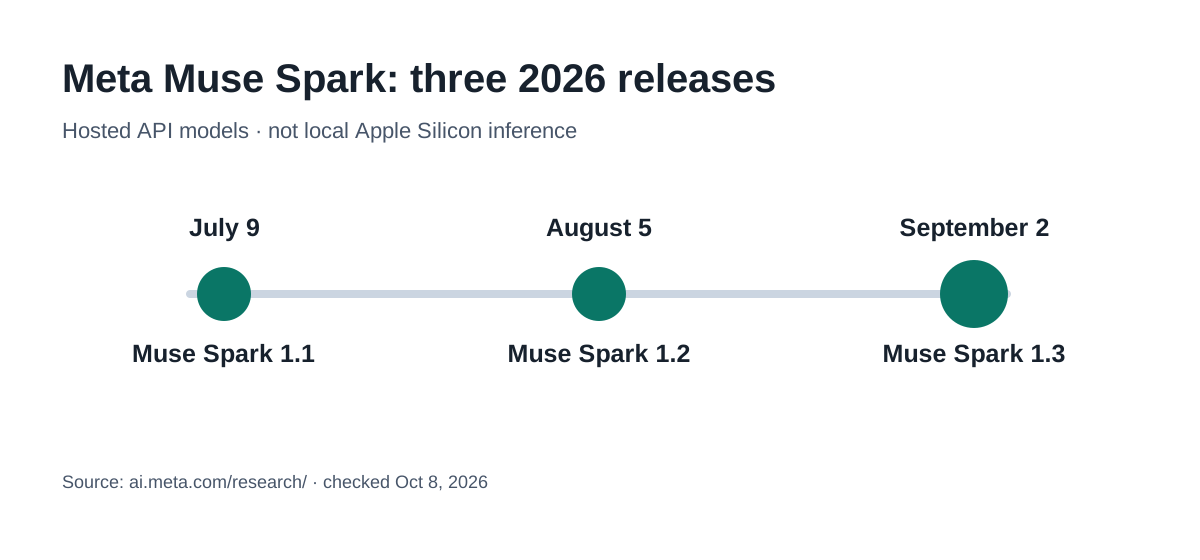
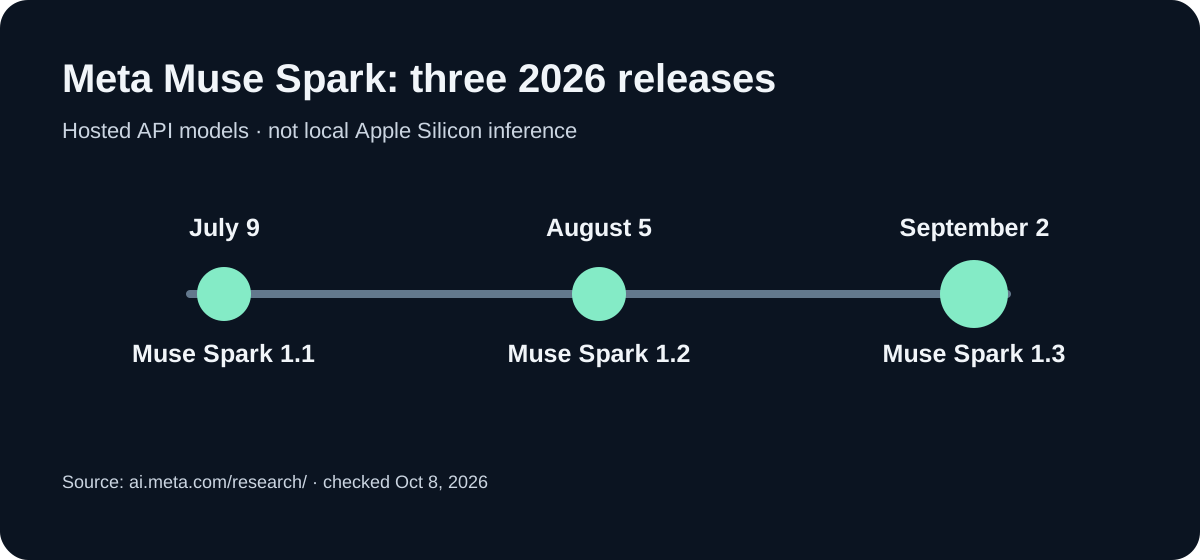
Meta released Muse Spark 1.1 on July 9, 1.2 on August 5, and 1.3 on September 2, 2026. Meta positions 1.3 for long-horizon coding and agent workloads with fewer unproductive tool turns. For new integrations, 1.3 is the stronger starting point for evaluation. Meta Research · Meta Model API.
Meta’s older 1.2 benchmark data documents claims about the earlier upgrade, not measured 1.3 performance. These are vendor reports, not independent Apple Silicon tests. When comparing versions, hold the model ID, billing tier and task set fixed.
What Muse Spark 1.1 actually shipped
Meta describes Muse Spark 1.1 as a multimodal reasoning model for agentic work, coding, tool use and computer use. The model page lists image and document perception alongside long-running agent workflows.1
The same page publishes comparison values including:
- MCP Atlas: 88.1
- Toolathlon-Verified: 75.6
- OSWorld-Verified: 80.8
- Terminal-Bench 2.1: 80.0
- SWE-Bench Pro: 61.5
- CharXiv Reasoning: 88.4
These numbers come from Meta’s published comparison table. They are not measurements on a Mac, and competitor results were not necessarily produced under identical conditions.12
Connecting a Mac client to the API
Meta’s current documentation identifies https://api.meta.ai/v1 as the base URL, lists a 1,048,576-token context window and documents OpenAI- and Anthropic-compatible interfaces.3 The 1.1 model ID is:
muse-spark-1.1A client does not install Muse Spark locally. It sends requests to the API. Before using the model in production, check:
- whether your account is eligible for the 1.1 preview,
- which API surface your client actually uses,
- which model ID appears in the request,
- whether files, images and tool output leave the Mac,
- how retries, caching and long outputs are billed.
Vercel AI Gateway lists meta/muse-spark-1.1 with a 1M context and $1.25 input/$4.25 output pricing per million tokens.4 Gateway availability and provider terms can differ from direct Meta access.
Keep API credentials in a local environment or secret manager. Never put them in a repository, article code block that readers may copy literally, or frontend bundle.
Data use and pricing
Meta’s current API page separates two usage modes. For the standard muse-spark-1.1 model, it lists $1.25 per million input tokens, $0.15 for cached input and $4.25 per million output tokens, and labels the tier “not used to improve our products.”5
The Contributor tier is cheaper and permits training on your prompts and completions; Meta currently lists both muse-spark-1.2-contributor and muse-spark-1.3-contributor. This is an operational decision, not a footnote: source code, client documents and internal screenshots need a tier that fits the data policy.
A 1M context window can raise costs quickly. Limit logs, select relevant files and record token use and tool calls. An agent that rereads the same repository five times is not a low-cost workflow just because the per-token price is unchanged.
What stays on the Mac
| Local | Remote |
|---|---|
| editor, terminal and agent UI | model weights and inference |
| files before upload | prompts, approved files and tool results |
| tests, Git diff and permissions | model responses and reasoning |
| local fallback through Ollama or MLX | Meta or gateway billing |
If data must not leave the Mac, Muse Spark 1.1 is not a sensible default. A local model can handle the first pass; a hosted model can receive redacted input only when its extra capability is justified.
Check data-use rights and real token costs before migrating
Meta’s model catalog lists Muse Spark 1.1 under Standard only. Contributor exists for 1.2 and 1.3, not 1.1. According to Meta’s pricing documentation, Standard prompts and completions are not used to train Meta models, while Contributor grants permission to train on them.
| USD per 1M tokens | Standard 1.1 / 1.3 | Contributor 1.3 |
|---|---|---|
| Uncached input | $1.25 | $0.10 |
| Cached input | $0.15 | $0.002 |
| Output | $4.25 | $0.20 |
Reproducible arithmetic, not a measured invoice: 2M uncached and 0.5M cached input tokens plus 250,000 output tokens cost $3.6375 at Standard rates and $0.2510 at Contributor 1.3 rates. The lower price changes training permission and is not a drop-in replacement for sensitive code or customer data. Even Standard does not automatically prove a required data-processing location or contractual compliance.
python3 - <<'PY'
usage = dict(uncached_m=2.0, cached_m=0.5, output_m=0.25)
rates = {
    "Standard 1.1 / 1.3": (1.25, 0.15, 4.25),
    "Contributor 1.3": (0.10, 0.002, 0.20),
}
for label, (inp, cached, out) in rates.items():
    usd = usage["uncached_m"] * inp + usage["cached_m"] * cached + usage["output_m"] * out
    print(f"{label}: USD {usd:.4f}")
PY
Audio migration exception: Meta’s model catalog explicitly notes limited audio understanding with Muse Spark 1.3 and recommends 1.2 or a dedicated transcription model for audio tasks. Evaluate text, vision and audio separately instead of assuming every feature improves with a later release.
A reproducible comparison
Compare the models with five tasks from your actual workflow:
- a change spanning several files,
- a reproducible bug with tests,
- a tool-calling task with an intentionally missing permission,
- a long document or repository question,
- a task where the model should ask questions before editing.
Record model ID, API surface, tier, prompt, context size, cost, runtime, tool permissions and manual repairs. Then run the tests and inspect the Git diff. For computer use, a plausible-looking answer is not evidence that the requested action was completed safely.
Practical choice
Muse Spark 1.1 remains a documented cloud model ID, but it is no longer Meta’s current product reference. For new Mac projects, benchmark Muse Spark 1.3 first. Keep 1.1 for compatibility and historical reproductions. None of the three versions runs its inference locally on Apple Silicon. Private or offline work needs a local fallback.
Sources
Footnotes
-
Meta: Muse Spark 1.1 — status, capabilities and published comparison values. ↩ ↩2
-
Meta: Introducing Muse Spark 1.1 — original product announcement. ↩
-
Meta Model API documentation — base URL, compatible API surfaces and context window. ↩
-
Vercel AI Gateway: Muse Spark 1.1 — gateway slug, provider data and pricing. ↩
-
Meta Model API — model IDs, standard/contributor tiers and pricing. ↩
Frequently Asked Questions
Can Muse Spark 1.1 run locally on a Mac?
No. Muse Spark 1.1 is hosted. The Mac runs the client, development environment or agent, while inference runs through Meta Model API or a gateway provider.
Is Muse Spark 1.1 still available through Meta Model API?
Meta lists `muse-spark-1.1`, `muse-spark-1.2`, and `muse-spark-1.3` under Standard pricing, while 1.3 is the latest generation. Check actual access in your own API account.
How much does Muse Spark 1.1 cost?
Meta lists $1.25 per million input tokens, $0.15 per million cached input tokens and $4.25 per million output tokens for the standard tier. Pricing and limits can change.
What is the difference between the standard and contributor tiers?
According to Meta, Standard prompts and completions are not used to train its models. The discounted, training-eligible Contributor tier applies to 1.2 and 1.3, but not 1.1.
Should a new project use 1.1 or 1.3?
Benchmark Muse Spark 1.3 for new work. Pin 1.1 for regressions, compatibility and repeatable historical comparisons.