Checked October 12, 2026. GLM-5.2 remains available as an API and as MIT-licensed open weights, although GLM-5.3 is now the newer generation. Z.ai lists a 1M-token context, with $1.40 input and $4.40 output per million tokens for direct API use. OpenRouter features changing prices by provider and promotion; treating its cheapest visible rate as permanent would mislead U.S. buyers. Z.ai specs · official USD price list.
Choose the route before comparing prices
| Access path | Model ID | What matters |
|---|---|---|
| Z.ai direct | glm-5.2 | Z.ai USD list rates and account limits |
| OpenRouter | z-ai/glm-5.2 | selected provider, rate, quantization and context |
| Self-hosted weights | zai-org/GLM-5.2 | large server infrastructure and runtime support |
GLM-5.2 being open-weight does not establish that it runs conveniently on an ordinary MacBook with 16–64 GB unified memory. The direct cloud API is a different product from downloading the checkpoint.
Z.ai API list rates vs OpenRouter offers
The Z.ai rate table lists the following US-dollar rates per million tokens on October 8, 2026:
| Token type | Direct Z.ai |
|---|---|
| Ordinary input | $1.40 |
| Cached input | $0.26 |
| Output | $4.40 |
| Cached-input storage | Temporarily free, per Z.ai |
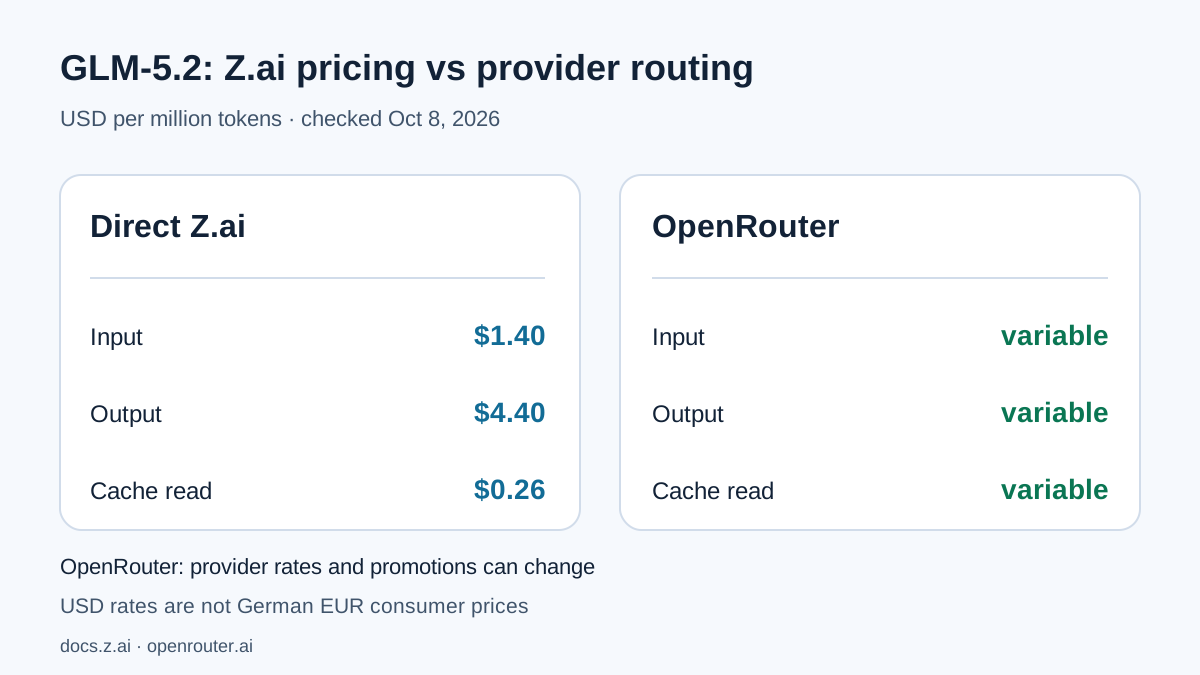
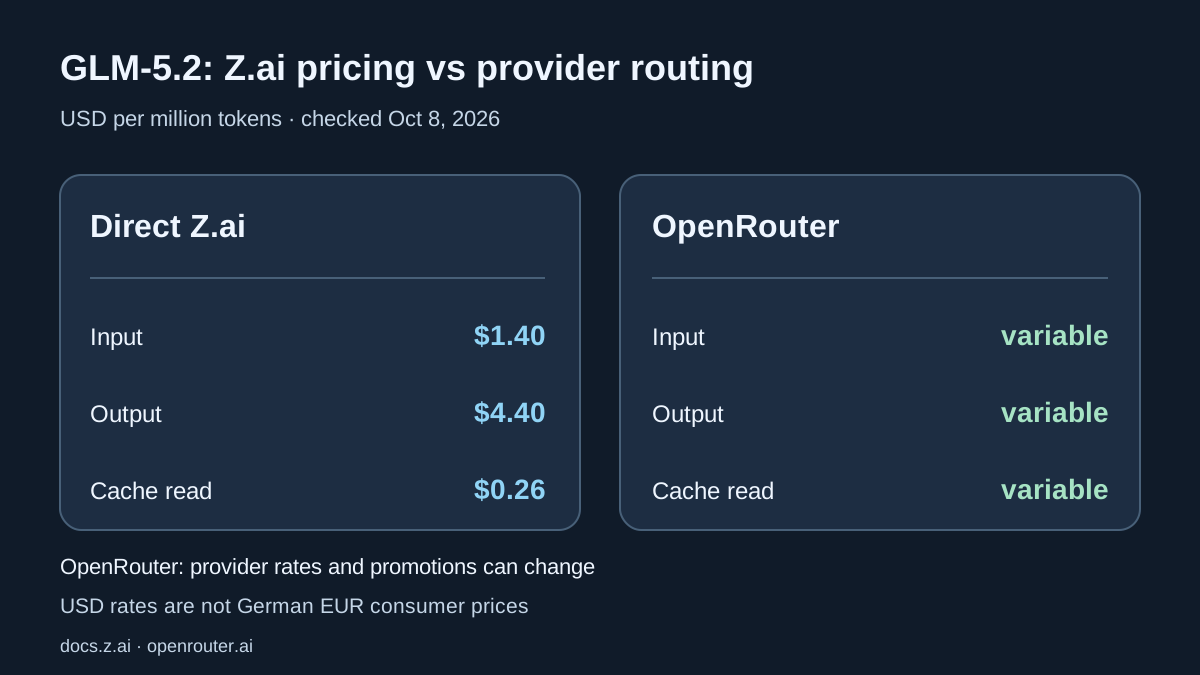
These are direct Z.ai prices, not a fixed OpenRouter charge. The OpenRouter GLM-5.2 page serves the model through multiple providers and sometimes displays substantial promotional discounts. Prices, available context, cache billing and provider settings can change. Confirm those values at checkout and when routing production requests; OpenRouter billing follows its own terms.
U.S. API customers should also distinguish pay-as-you-go tokens from subscriptions or coding plans. Applicable sales tax can be additional depending on the state, the seller and the invoice arrangements.
One token-cost illustration
At direct Z.ai list rates, 100,000 uncached input tokens plus 10,000 output tokens cost $0.184: $0.14 for input and $0.044 for output. This is not a predicted bill for a large coding agent. It excludes cache effects, tools, retries and additional requests, which can dominate a workflow that keeps sending back repository files and logs.
Direct Z.ai rates: 5.2 and 5.3 have the same list price
Z.ai’s current pricing table lists identical API rates for GLM-5.2 and successor GLM-5.3. GLM-5.3 Flash is much cheaper, but it is a different model; identical prices do not imply matching results.
| Direct Z.ai | Input/1M | Cached input/1M | Output/1M | Example¹ |
|---|---|---|---|---|
| GLM-5.2 | $1.40 | $0.26 | $4.40 | $1.84 |
| GLM-5.3 | $1.40 | $0.26 | $4.40 | $1.84 |
| GLM-5.3 Flash | $0.15 | $0.03 | $0.50 | $0.20 |
¹ Cost arithmetic only: 1M uncached input plus 100,000 output tokens, excluding tools, cache, retries, discounts and taxes. GLM-5.2/5.3: 1 × $1.40 + 0.1 × $4.40 = $1.84. Flash: 1 × $0.15 + 0.1 × $0.50 = $0.20. Not measured benchmarks or OpenRouter provider quotes.


For new coding agents: Test GLM-5.3 first on the same private evaluation suite. At identical direct list rates, keep 5.2 only for measured tool, output or compatibility advantages. Compare GLM-5.3 Flash independently as a budget option. OpenRouter promotions are not direct Z.ai tariffs.
Multi-turn agents: how observed cache hits change the bill
Z.ai’s direct rate sheet lists GLM-5.2 at $1.40 per million regular input tokens, $0.26 per million cached input tokens and $4.40 per million output tokens. Repeating repository context does not automatically earn cached-input pricing. Check the actual billed token categories.
Ten-request example: 1M uncached input and 100,000 output tokens cost $1.840. For the same aggregate volume, if 900,000 input tokens are actually billed as cache reads, the calculated bill is $0.814, representing a $1.026 difference. Those are arithmetic scenarios, not measured savings or guaranteed cache hits. OpenRouter prices depend on its selected provider.
python3 - <<'PY'
def usd(uncached, cached, output):
    return (uncached * 1.40 + cached * 0.26 + output * 4.40) / 1_000_000
a = usd(1_000_000, 0, 100_000)
b = usd(100_000, 900_000, 100_000)
print(f"Ten requests, no cache: USD {a:.3f}")
print(f"Same total tokens, 90% cached input: USD {b:.3f}")
print(f"Difference (illustrative only): USD {a-b:.3f}")
PY
When comparing GLM-5.2 and GLM-5.3, record the actual model ID, uncached/cached input, generated tokens, retries and provider charges per task. Predefine pass/fail tests and calculate USD per accepted task, not merely per million input tokens. In this workflow, macOS operates as an API client; our benchmarks make no claim of local Apple Silicon GLM-5.2 inference.
A 1M context window is a limit, not a score
Z.ai documents 1 million tokens of context and up to 128K output tokens. A gateway provider may impose its own maximum context or response length. An enormous prompt can be useful for a complex multi-file problem, but stuffing unrelated files into it does not increase correctness. Bigger requests can mean higher latency and costs.
When evaluating long-horizon coding, start with the relevant files, failing tests, a precise objective and limits on tool permissions. Keep request sizes and harness settings comparable across models. A model that can read a full codebase still needs an actual build and test suite to verify its output.
Open weights are not a tested local Mac configuration
Z.ai publishes the official GLM-5.2 weights on Hugging Face under the MIT license. Those weights can be self-hosted on suitable infrastructure. The provided deployment instructions focus on large-scale frameworks including SGLang, vLLM and Transformers, not a routine Apple Silicon install.
No independent local GLM-5.2 Mac speed or quality measurements were conducted on our test hardware. A quantized community conversion may have a substantially different footprint or output quality. Before buying a Mac for this model, establish the exact file sizes, quantization, KV-cache requirements and compatible runtime. Our unified-memory guide and smaller-model guide are more useful for normal Mac configurations.
Understand the vendor benchmark labels
The official model card lists these GLM-5.2 scores:
| Evaluation | Score | Important condition |
|---|---|---|
| Terminal-Bench 2.1 | 81.0 | Terminus-2 harness |
| SWE-bench Pro | 62.1 | vendor/model-card report |
| Humanity’s Last Exam, no tools | 40.5 | no agent tools used |
These are vendor-reported, not ai-on-mac.com results. Z.ai also reports separate best-harness Terminal-Bench figures; mixing them without labels changes the comparison. Different tests measure different tasks and can use different scaffolds. A single benchmark bar chart without a common scale and method would make the results look more comparable than they are.
Direct API request from macOS
The following command calls Z.ai directly, not OpenRouter. Store your key in ZAI_API_KEY as a secret and never commit it:
read -rs ZAI_API_KEY
export ZAI_API_KEY
: "${ZAI_API_KEY:?ZAI_API_KEY must be set before billable requests}"
curl -fsS https://api.z.ai/api/paas/v4/chat/completions \
  -H "Authorization: Bearer $ZAI_API_KEY" \
  -H "Content-Type: application/json" \
  -d '{
    "model": "glm-5.2",
    "messages": [{"role":"user","content":"List three tests for this code patch."}],
    "thinking": {"type":"enabled"},
    "reasoning_effort": "max",
    "max_tokens": 1024
  }'
This is based on Z.ai’s request examples. An OpenRouter call uses a different base URL, API key and model slug. A successful response here is cloud inference, not a local Mac benchmark.
Safely compare 5.2 and 5.3 from macOS
This Python sample makes two billable calls to the direct Z.ai endpoint, not OpenRouter. It reports elapsed cloud-request time and usage counters; it does not print model replies or keys. Install python3 -m pip install -U openai, export ZAI_API_KEY, and save as glm_compare.py:
import os
import time
from openai import OpenAI

key = os.getenv("ZAI_API_KEY")
if not key:
    raise SystemExit("Missing ZAI_API_KEY; no request sent")
client = OpenAI(api_key=key, base_url="https://api.z.ai/api/paas/v4/")
prompt = "List three regression tests for a broken CSV parser."
for model in ("glm-5.2", "glm-5.3"):
    start = time.perf_counter()
    try:
        response = client.chat.completions.create(
            model=model,
            messages=[{"role": "user", "content": prompt}],
            max_tokens=1024,
            extra_body={"thinking": {"type": "enabled"}, "reasoning_effort": "max"},
        )
    except Exception as error:
        print(model, type(error).__name__)
        continue
    usage = response.usage
    print({"model": model, "seconds": round(time.perf_counter()-start, 2),
           "prompt_tokens": getattr(usage, "prompt_tokens", None),
           "output_tokens": getattr(usage, "completion_tokens", None)})
Migration trap: Z.ai’s GLM-5.3 docs say reasoning cannot be disabled. Existing agents using thinking.type: "disabled" must move to enabled before switching models. The allowed reasoning_effort settings are low, high and max. This sample explicitly uses enabled and max for both requests instead of relying on different defaults; thinking can affect output-token charges.
Not a quality benchmark: One request per model cannot establish quality or agent reliability. prompt_tokens alone does not prove billed cache hits. Repeat identical approved tasks with the same tools, record test pass rates and failures, and compare actual invoiced dollars per accepted task. Z.ai GLM-5.3 model reference.
U.S. data handling requires provider checks
An editor or coding agent sends selected files to the remote API. A U.S. developer account, U.S.-language documentation or a U.S. network endpoint does not prove that every processor is in the United States. Verify the chosen provider, subprocessors, privacy terms, retention and application-level tool permissions before uploading proprietary code.
When to use GLM-5.2
Keep it if an existing evaluated workflow works well and migration offers no measured benefit. For a new cloud application, compare it against GLM-5.3 on real tasks and total billed usage. If data must stay offline on a typical Mac, start with a smaller open-weight model.
Sources verified October 12, 2026: Z.ai model, Z.ai pricing, OpenRouter, official weights.
Frequently Asked Questions
What is the direct Z.ai price?
Z.ai lists $1.40 input, $0.26 cached input and $4.40 output per million tokens; OpenRouter providers may charge differently.
Is GLM-5.2 available locally on Mac?
The weights are MIT-licensed, but the model is very large and official inference instructions focus on server frameworks; a standard Apple Silicon setup is not independently verified here.
Does every OpenRouter route support 1M context?
Not necessarily. Z.ai documents 1M context and 128K maximum output for the model; provider settings and limits must be checked separately.
Which model ID should I use?
Use glm-5.2 at Z.ai, z-ai/glm-5.2 on OpenRouter, and zai-org/GLM-5.2 for the official weights.